
- Handle Custom Stripe Webhook Events
- suredonation_export_secret_option_keys Filter Hook
- suredonation_import_batch_complete Action Hook
- suredonation_import_complete Action Hook
- suredonation_import_donation_inserted Action Hook
- suredonation_import_donor_inserted Action Hook
- suredonation_import_session_created Action Hook
- suredonation_import_givewp_batch_complete Action Hook
- suredonation_import_givewp_session_created Action Hook
- suredonation_privacy_data_exported Action Hook
- Validate Field Filter Hook
- Validatable Blocks Filter Hook
- Update donation data, Filter Hook
- OttoKit Integration: suredonation_suretriggers_integration_data_filter Filter Hook
- suredonation_show_setup_gateway_notice Filter Hook
- suredonation_show_review_notice_gateway Filter Hook
- suredonation_show_review_notice_donation Filter Hook
- suredonation_registered_payment_methods Filter Hook
- suredonation_register_additional_blocks Filter Hook
- suredonation_receipt_html Filter Hook
- Validatable Blocks Filter Hook
- Update donation data, Filter Hook
- OttoKit Integration: suredonation_suretriggers_integration_data_filter Filter Hook
- suredonation_show_setup_gateway_notice Filter Hook
- suredonation_show_review_notice_gateway Filter Hook
- suredonation_show_review_notice_donation Filter Hook
- suredonation_registered_payment_methods Filter Hook
- suredonation_register_additional_blocks Filter Hook
- suredonation_receipt_html Filter Hook
- suredonation_phone_geo_enabled Filter Hook
Test
SureDonation allows you to create donation campaigns and collect donations directly on your WordPress website. It is a free WordPress plugin.
Before You Begin
Before installing SureDonation, make sure you have the following:
- A self-hosted WordPress site (WordPress.org)
- WordPress 6.4 or higher
- PHP 8.0 or higher
- Administrator access to your WordPress dashboard
- A Stripe account (required to accept donations)
There are two ways to install the SureDonation plugin.
Method 1: Install SureDonation from the WordPress Plugin Directory
- Log in to your WordPress Dashboard.
- Navigate to Plugins → Add New Plugin.
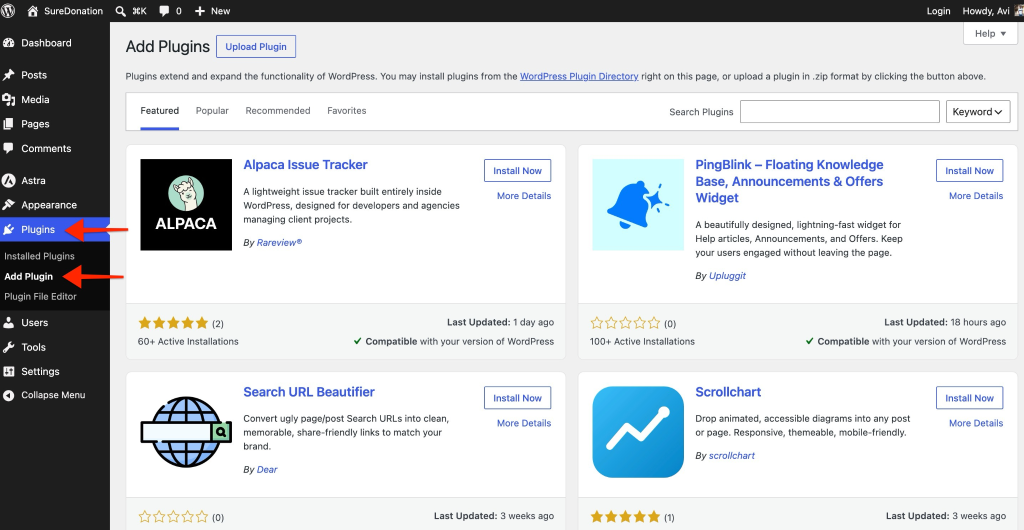
- In the search field, search for SureDonation.
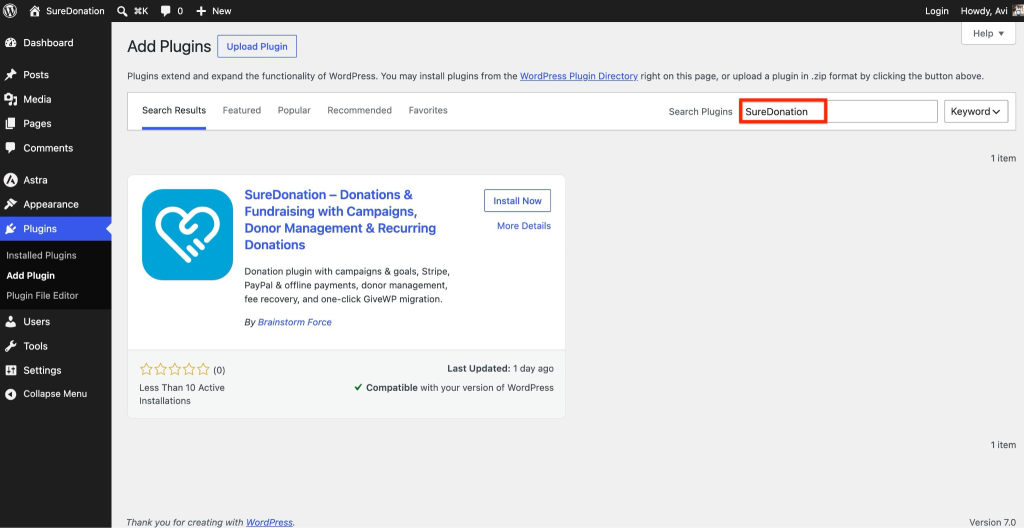
- Locate the SureDonation plugin and click Install Now.
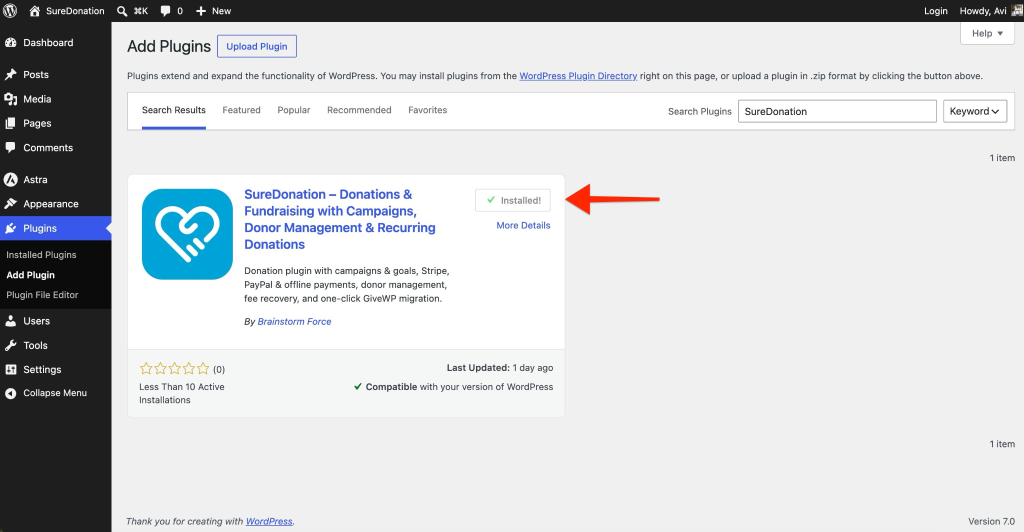
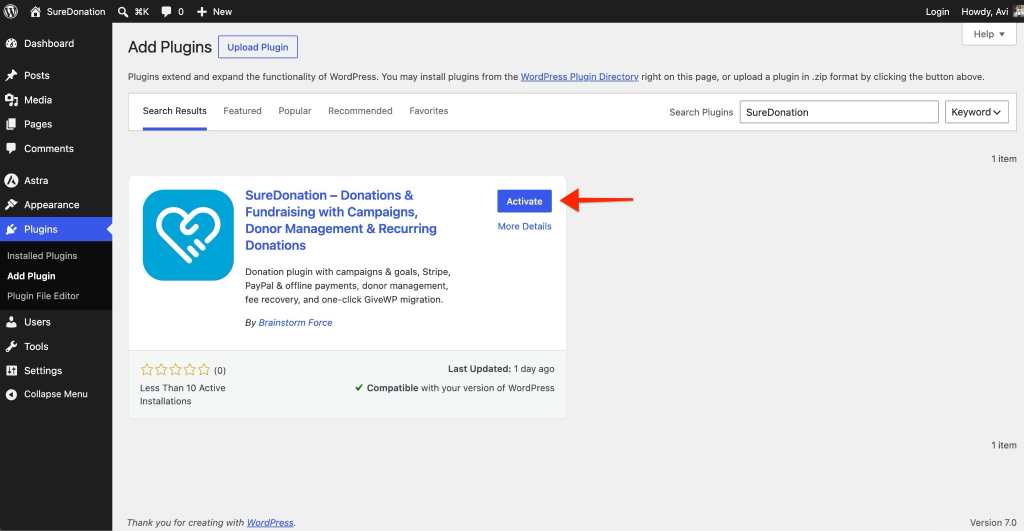
- Once the installation is complete, click Activate.
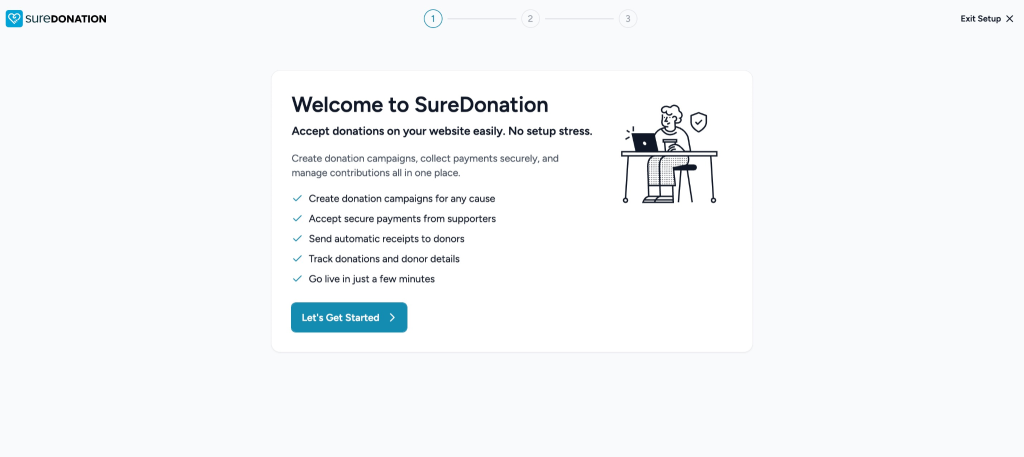
After activating the plugin, you will be redirected to the onboarding screen.
Method 2: Install SureDonation Manually Using the ZIP File
If you have downloaded the plugin ZIP file manually, follow these steps:
- Download the SureDonation ZIP file.
- Log in to your WordPress Dashboard.
- Go to Plugins → Add New Plugin.
- Click Upload Plugin.
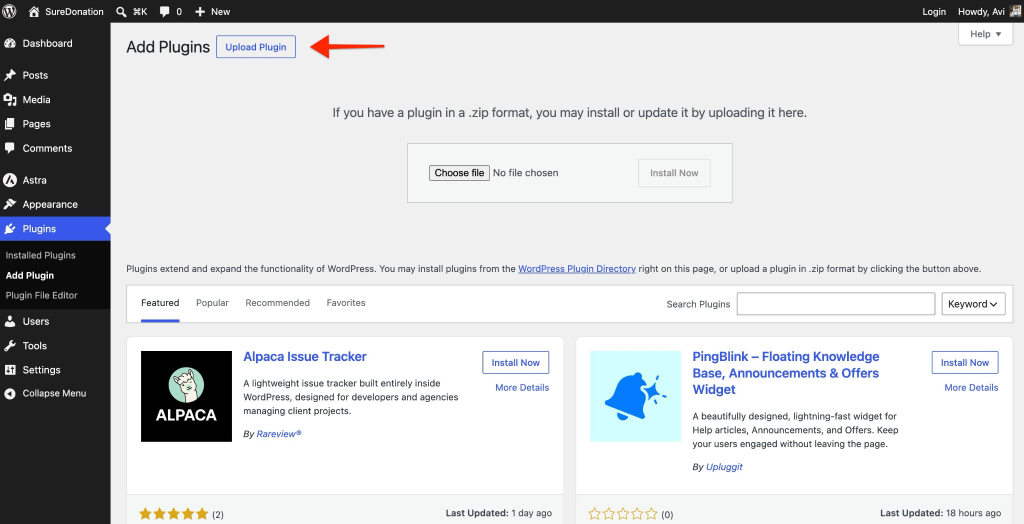
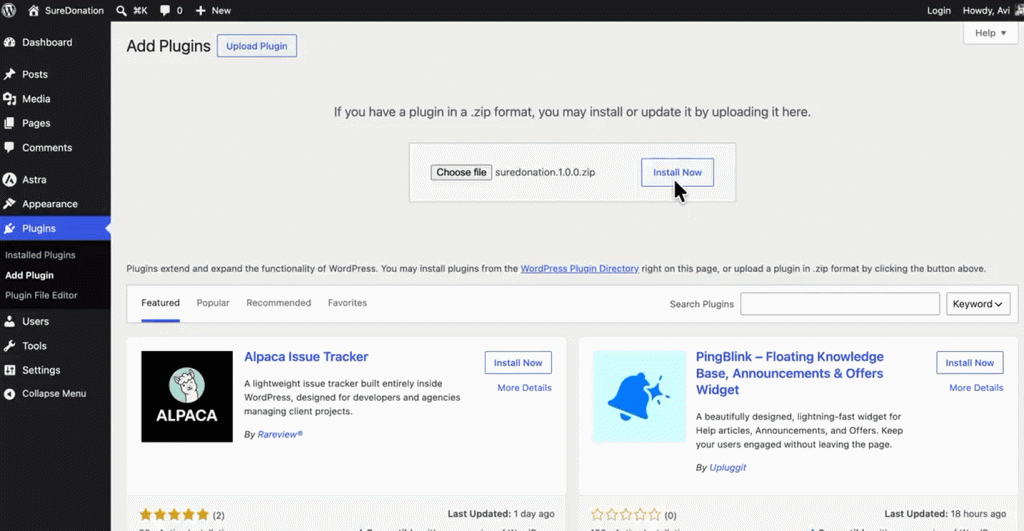
- Select the SureDonation ZIP file.
- Click Install Now.
- Once the installation completes, click Activate Plugin.
Verify the Installation
To confirm that SureDonation is installed correctly:
- Go to SureDonation in your WordPress Dashboard.
- Create or open a donation campaign.
- Add the donation form to a page.
- Publish the page and submit a test donation.
Your SureDonation setup is now complete and ready to accept donations.
Was this doc helpful?
What went wrong?
We don't respond to the article feedback, we use it to improve our support content.
Table of Contents